





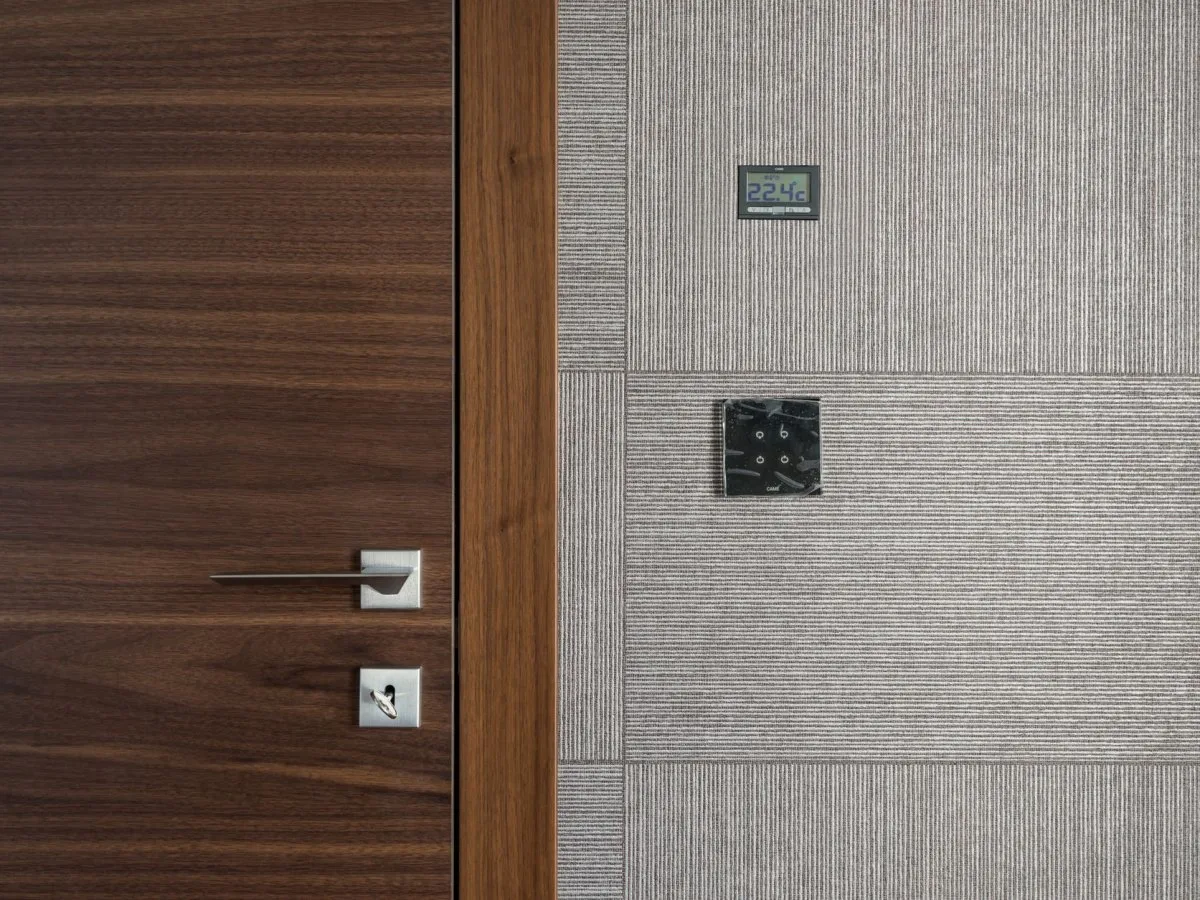
Programming a thermostat means deciding what temperature your home needs at different times, not filling every hour of the day with commands. A useful schedule follows the routines of the people who live there, reduces unnecessary heating and cooling, and restores comfort without resorting to extreme settings.
The starting point is simple: distinguish when the home is occupied, when it is empty, and when people are sleeping. Then adapt those periods to the installed system. A boiler with radiators, a heat pump, and a high-inertia floor system do not necessarily respond to the same schedule.
1. Identify what your thermostat actually controls
Before changing schedules, find the equipment manual and check which functions are available. The thermostat may control heating only, manage cooling as well, or operate just one zone. A cooling symbol on the display does not turn a heating-only installation into a cooling system.
A simple timer usually indicates periods when the system turns on and off. A programmable thermostat lets you set times and temperature settings. The setpoint is the temperature the system will try to maintain; it should not be confused with the room temperature shown by the sensor. Some connected models add learning, sensors, remote control, or occupancy detection, but those features do not replace proper configuration.
Check these items before editing the schedule:
- Date, time, and day of the week. Also check the 12- or 24-hour format and daylight saving time changes when applicable.
- Temperature unit. Values in degrees Celsius and Fahrenheit are not interchangeable.
- Controlled zone. A living-room schedule does not mean the bedroom schedule has changed if the controls are separate.
- Operating mode. Heating, cooling, off, or automatic changeover, depending on the installation.
- Active programs. A manual hold, vacation period, or app automation may override the schedule.
This guide covers the heating and cooling of rooms. Domestic hot-water temperature and cylinder cycles serve a different purpose and should not be changed by copying these settings. You also do not need to open the thermostat or work on wiring to set a usage schedule.
2. Choose temperature settings first
Work with a few clear settings: home, away, and sleep. Then assign them to times. If your equipment uses different names, identify which situation each one represents before changing it.
| Situation | Heating | Cooling |
|---|---|---|
| Home | The lowest setpoint that keeps occupants comfortable | The highest setpoint that maintains adequate comfort |
| Away for several hours | Reduce demand when the system and home conditions allow | Raise the setpoint when compatible with protecting the home and its occupants |
| Sleep | Adjust the setpoint for nighttime comfort, avoiding unsuitable cooling | Maintain comfortable sleeping conditions; do not automatically copy the winter program’s temperature setback |
| Vacation | Use the mode provided by the equipment while maintaining necessary protections | Use the extended-away mode without neglecting extreme heat or humidity |
As a heating guide, 18–21°C is a common reference range for people who can remain comfortable at those temperatures. It is not a universal health minimum or a mandatory setting for every home. A home with people who are especially vulnerable to cold may need higher temperatures.
For cooling, 26°C or higher, when comfortable, is a reference point for efficient household use. Outdoor heat, humidity, activity, and people’s needs may call for a different setting. Do not use this figure to deny cooling to someone who needs it or as a guarantee of safety during a heat event.
If you have already found a comfortable temperature, keep it as your starting point and change one thing at a time. For example, you could compare a heating setpoint of 20°C with 19°C during an appropriate period and see how the home feels. This is an adjustment test, not a promise of savings or a schedule that works for every system. For heat pumps and high-inertia equipment, first check the conditions in the section about those systems.
3. Map out your week before entering the schedule
Write down when the home is actually occupied. It matters more to know that someone comes home for lunch or works from home than to copy a schedule considered “normal.” An absence that exists only on the calendar can leave someone who is still at home uncomfortable.
At a minimum, separate weekdays from the weekend. Depending on the model, you may be able to use a seven-day schedule, group five days and two days, or create separate programs for Saturday and Sunday. If you work shifts, the groups should match your routine, not necessarily the names of the days.
The following table is an example of how to organize time periods, not a temperature recommendation or a command to turn the system on. The times show when how the home is used changes. Adapt them to the people in the home and to the system’s response.
| Day group | Example time | Situation from that time | Setting to review |
|---|---|---|---|
| Monday to Friday | 06:30 | Activity at home begins | Home |
| Monday to Friday | 08:30 | The home is empty | Away |
| Monday to Friday | 17:30 | Occupants return | Home |
| Monday to Friday | 23:00 | Nighttime rest begins | Sleep |
| Saturday and Sunday | 08:30 | Activity at home begins | Home |
| Saturday and Sunday | 23:30 | Nighttime rest begins | Sleep |
In this example, the weekend has no away period because it assumes the home remains occupied. If you go out for several hours, add that period; if someone stays home, do not apply it to the whole home without checking the zones.
Also check what the thermostat does between one scheduled time and the next. Many maintain the last setpoint until the next transition, but confirm how your model behaves. Check the transition from one day to the next: an incomplete program at the end of Sunday may affect the start of Monday.
4. Set times without confusing system start-up with comfort time
Not all systems interpret a programmed time in the same way. For some, it is when the setpoint changes and recovery begins. Others include a feature that starts the system early to reach the expected temperature by the selected time.
If the control has adaptive recovery, check the manual for how to enter the time you want the home to be comfortable. The system may start earlier without there being a scheduling fault. Adding a manual lead time as well, without understanding this feature, may unnecessarily extend operation.
If the system does not anticipate recovery, observe how long the home takes to approach the setpoint under comparable conditions, and adjust the start time if needed. There is no fixed lead time that works for every home: climate, insulation, available capacity, and the response of the heat emitters all matter.
Instead of raising the setpoint substantially to “heat faster,” schedule recovery to begin at the right time. For cooling, setting the temperature below what you actually want to maintain is also not an efficient way to address a late start: it may keep cooling for longer than necessary.
5. Switch between heating and cooling appropriately
At the change of season, review both the mode and the schedule setpoints. A schedule that calls for heating in the morning does not become a suitable summer program simply by changing one number.
In heating mode, lowering the setpoint while the home is empty may reduce heating demand. In cooling mode, the equivalent adjustment is usually to raise it, not lower it. Copying the winter approach in summer is one of the easiest mistakes to make.
Some thermostats have an automatic mode that switches between heating and cooling within a range. Use it only if the installation supports it, and maintain the minimum separation between the two setpoints specified by the manufacturer. Do not choose values that create incompatible demands between the two modes.
The word Auto may also appear in the fan control. Fan auto mode and automatic changeover between heating and cooling are different functions. Identify which menu each setting belongs to. Do not change a ventilation setting or an installation accessory configuration on the assumption that it is the same as enabling the schedule.
If the system imposes a wait before starting, follow its instructions. Do not repeatedly switch between heating, cooling, and off in an attempt to bypass a protection. A household schedule does not require changing the equipment’s technical installer settings.
6. Adjust away periods and nights to match what happens at home
For an absence of several hours, the aim is to avoid maintaining the same comfort requirements as in an occupied home when they are not needed. The length of the absence and the recovery afterward are part of the same decision. A large winter setback may be unsuitable if the system takes a long time to recover or uses electric auxiliary heat when it does.
A short trip does not necessarily require a new schedule period. Start with a simple schedule and avoid changes you cannot check. If you use a temporary override, confirm when it ends. A permanent hold may cancel all planned changes for the rest of the week.
During sleep, consider the bedroom, not just the reading from a thermostat located in another room. The setpoint should allow people to sleep comfortably; it is not a test of endurance against cold or heat. If someone has specific health needs, adapt the settings and seek appropriate guidance before applying setbacks.
In summer, sleeping does not mean you should automatically select a colder setting. Maintain a comfortable temperature and avoid overcooling. If you use fans, remember that air movement can improve the sensation of comfort, but it does not lower the room’s air temperature.
For vacations, use the equipment’s intended features and check when the regular program will resume. Do not leave an empty home without protection: it may need protection from freezing, extreme indoor temperatures, or humidity. The appropriate setting and mode depend on the installation and location.
7. Heat pumps, radiant floors, and zone controls
Do not automatically apply the setbacks and shutdowns used with a conventional boiler to a heat pump. Some systems need a specific recovery control strategy to avoid unnecessary use of electric resistance backup. Others use different strategies and controls; check what your installation supports.
A thermostat with adaptive recovery may start the system early to restore the temperature gradually. That is not a reason to disable protections or change the equipment’s technical configuration. If recovery leads to high energy use or backup heating whose purpose you do not understand, have the control strategy reviewed.
A radiant floor’s response depends on its construction and the system supplying it. In a high-inertia installation, the effect of a command is not immediate. Avoid schedules with rapid changes designed for a different type of heat emitter, and follow the installation’s specific instructions. Not all radiant floors behave in exactly the same way.
When there are several zones, check which ones remain occupied. A thermostat on one floor, radiator valves, and controls in other rooms are not interchangeable. Adjusting one control does not mean the others have been checked. In an installation with coordinated controls, avoid conflicts between automations.
8. Common mistakes and how to correct them
| What you notice | What to check | Practical correction |
|---|---|---|
| The temperature does not change at the scheduled time | Selected day, clock, and active program | Correct the schedule and confirm that the system returns to it |
| The schedule seems to be ignored all day | Manual hold, vacation mode, or app automation | Check which function takes priority and when it ends |
| It is too cold in summer after you return | Cooling setpoint is too low | Restore the comfortable temperature instead of calling for extreme cooling |
| The home is uncomfortable when you arrive | Difference between system start time and comfort time | Check adaptive recovery or the start of the period |
| A room does not match the display reading | Sensor and the zone actually being controlled | Check the sensor’s location and that room’s controls |
| The heat pump uses a lot of energy during recovery | Recovery strategy and possible electric backup | Review the compatible configuration, with technical assistance when appropriate |
| The office schedule applies on Saturday | Which days the program was copied to | Separate the groups and check Saturday and Sunday |
| Settings change without anyone touching the display | Learning, occupancy detection, or remote control | Review the automations and the needs of everyone in the home |
Controls based on a phone’s location are useful only if they reflect actual occupancy. One person leaving does not mean the home is empty. Review the permissions and enabled features, especially if someone stays home without carrying the device used by the automation.
9. Save energy without expecting the thermostat to solve everything
Scheduling can help avoid unnecessary demand, but it cannot by itself fix heat loss, excessive solar gain, a dirty filter, or an operating problem. Even an appropriate setpoint may produce poor results if the equipment has not been maintained or the sensor does not represent the environment you want to control.
In winter, avoid blocking heat from radiators, and check blinds and curtains when they can help limit heat loss at night. In summer, use shade to reduce heat gain in the home. Ventilate according to outdoor conditions, and check the windows again before leaving the heating or cooling running.
Follow the equipment’s maintenance instructions, including filter care where applicable. Do not block air inlets, ventilation, or safety measures to save energy. If the system does not respond to the controls, is malfunctioning, or requires electrical work, contact a qualified person.
There is no guaranteed percentage of savings from setting a schedule. The result depends on how the heating and cooling were used before, the home, the climate, and the system. A different energy tariff can change the cost even if consumption stays the same, and a colder week can affect a comparison even when the schedule is reasonable.
10. Check the schedule and keep a copy
After entering the schedule, check one weekday and one weekend day. Note the planned setting, setpoint, displayed temperature, how comfortable the home feels, and any manual changes. If you have energy data, distinguish measured consumption from an app estimate.
Look for patterns before changing several things at once. If you always arrive before the home period begins, change that time. If the problem is in one room, check its controls and sensor. Keep a copy of a schedule that works so you can restore it after a change or a shift in routine.
Checklist
- ☐ The date, time, units, and day group are correct.
- ☐ I know which rooms and equipment this thermostat controls.
- ☐ I have distinguished the home, away, and sleep settings.
- ☐ The schedule reflects actual occupancy, including weekends.
- ☐ I have checked whether the programmed time means system start-up or comfort time.
- ☐ I have reviewed heating, cooling, and fan modes separately.
- ☐ No manual hold or automation is overriding the schedule.
- ☐ The recovery strategy is compatible with my heat pump or heat emitters.
- ☐ The settings respect everyone’s comfort and needs.
- ☐ I have maintained necessary protections and kept a copy of the schedule.
Sources and references
Energy Saving Trust — Heating controls ↗Document consulted on November 12, 2026 · 12/11/2026 Energy Saving Trust — Heating controls.
IDAE — Recomendaciones para el ahorro energético en hogares ↗Document consulted on November 12, 2026 · 12/11/2026 IDAE — Recommendations for energy savings in homes.
ENERGY STAR — Smart Thermostats: Home Upgrade ↗Document consulted on November 12, 2026 · 12/11/2026 ENERGY STAR — Smart Thermostats: Home Upgrade.
Pacific Northwest National Laboratory — Thermostat Controls ↗Document consulted on November 12, 2026 · 12/11/2026 Pacific Northwest National Laboratory — Thermostat Controls.
Natural Resources Canada — Air Conditioning Your Home ↗Document consulted on November 12, 2026 · 12/11/2026 Natural Resources Canada — Air Conditioning Your Home.
U.S. Department of Energy — Six Simple Steps To Save Energy and Money This Winter ↗Document consulted on November 12, 2026 · 12/11/2026 U.S. Department of Energy — Six Simple Steps To Save Energy and Money This Winter.
Australian Government YourHome — Heating and cooling ↗Sección In-slab floor heating, consulta documental de November 12, 2026 · 12/11/2026 Australian Government YourHome — Heating and cooling.
Resideo — T6 Pro Smart Thermostat, User Guide (33-00410EFS) ↗12/11/2026
Resideo — Scheduling and Auto-Away, guía de uso X8S ↗12/11/2026
Photograph · Photo by Max Vakhtbovych on Pexels · Pexels License · Sources and references · Centred crop to 4:3, resizing and conversion to JPEG for House Angle.